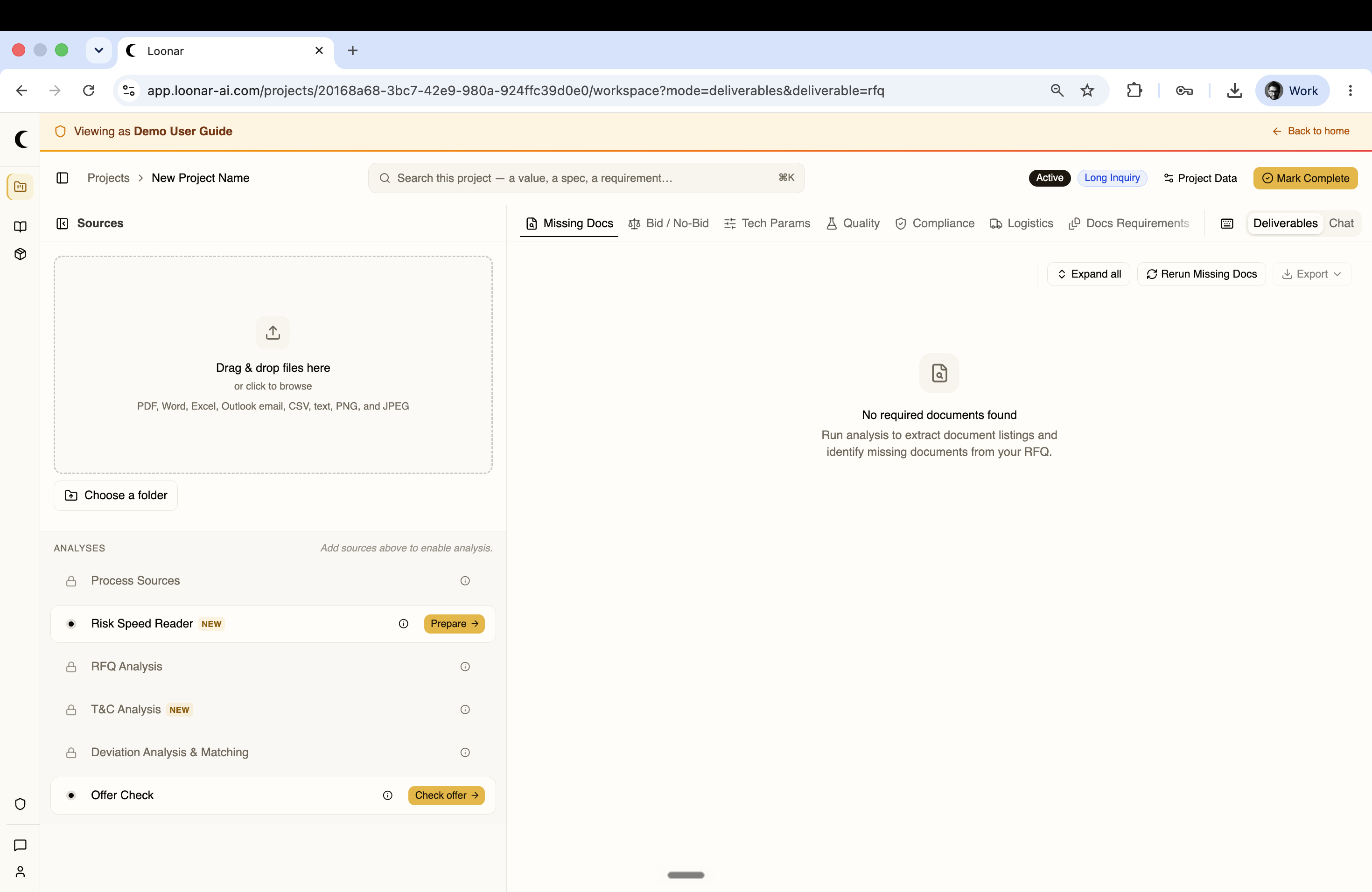
The Workspace
Once your documents have been processed, the Workspace panel on the right side of the screen becomes active. It has two modes: Chat and Deliverables, switchable from the toggle in the top right of the panel.
Chat
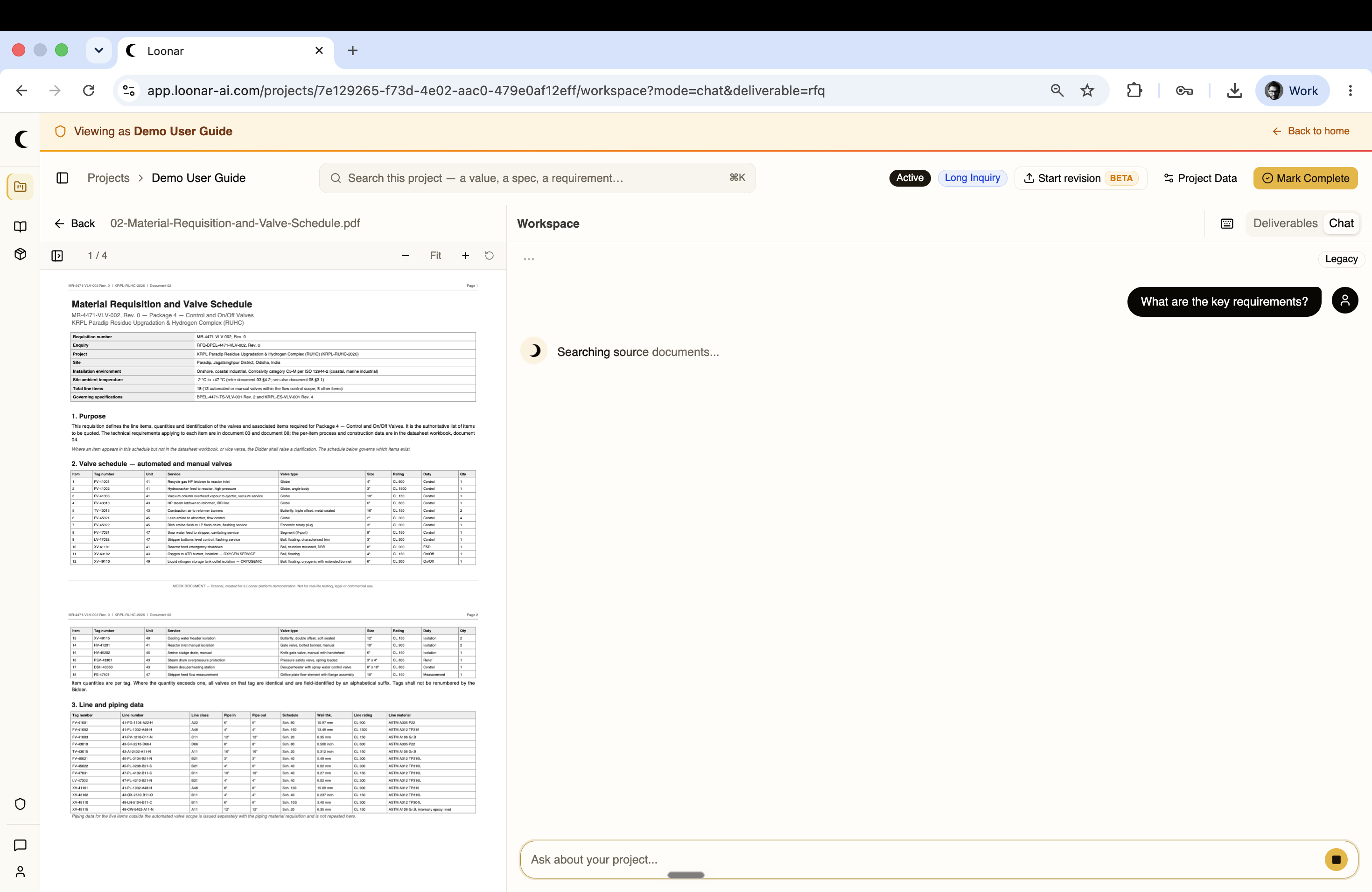
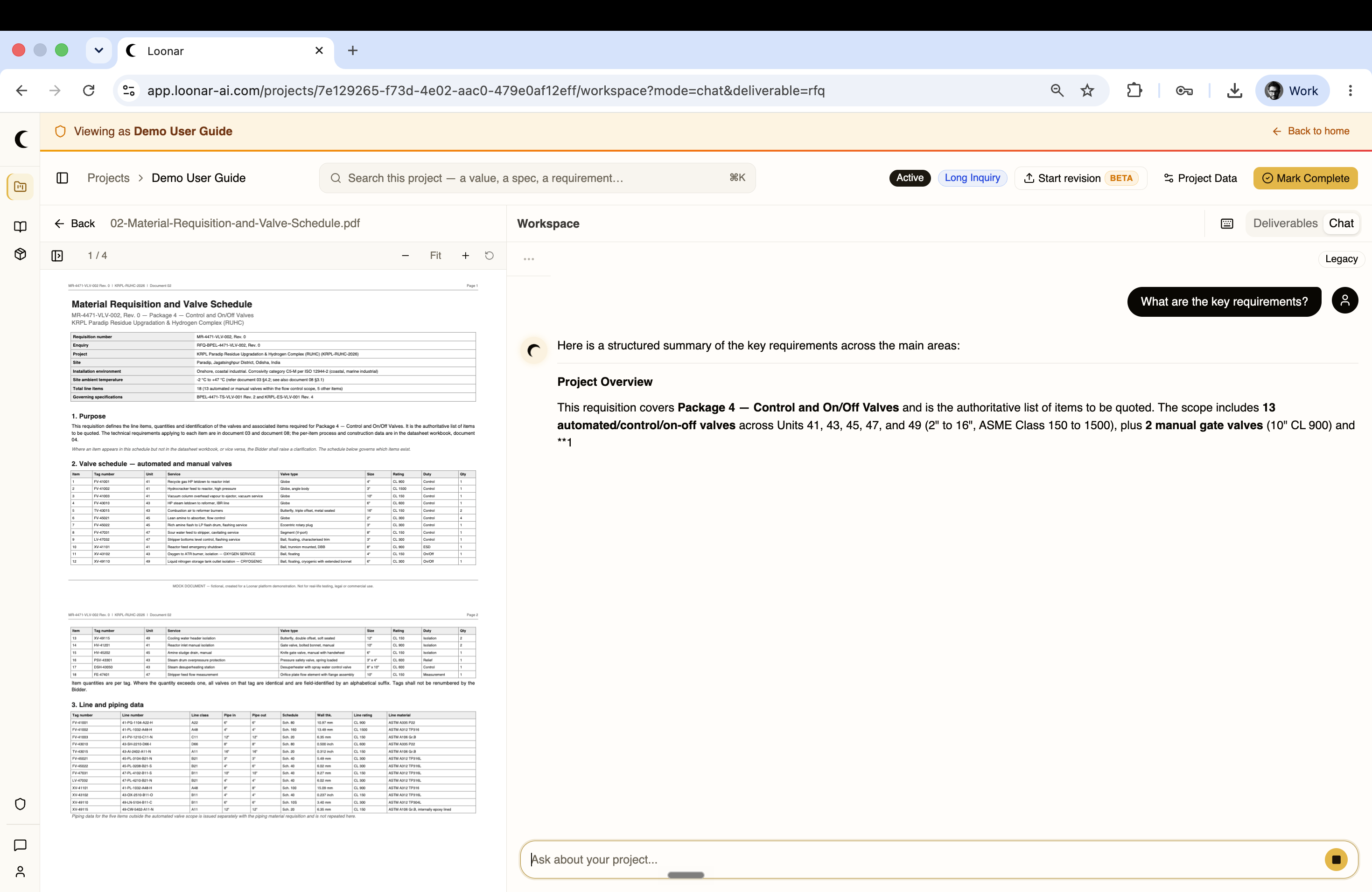
Chat lets you ask questions about your uploaded documents in plain language. You type your question and Loonar searches the source documents before answering.
Answers are grounded in specific paragraphs from the source documents — Loonar tells you exactly where in the RFQ the information was found, with page references you can click through to.
Use Chat when you want to quickly look something up, check a specific requirement, or explore the documents without running a full analysis.
Deliverables
Deliverables is where Loonar's structured analyses appear. Every analysis available for the project — Process Sources, Risk Speed Reader, RFQ Analysis, T&C Analysis, Deviation Analysis & Matching, and Offer Check — is listed here, and results populate this panel once you run them.
Unlike Chat, which responds to individual questions, Deliverables shows the output of pre-defined AI analyses that run across the entire project, each producing a structured result you can review, filter, and export.