Home / Risk Speed Reader
06 · Analysis
Risk Speed Reader
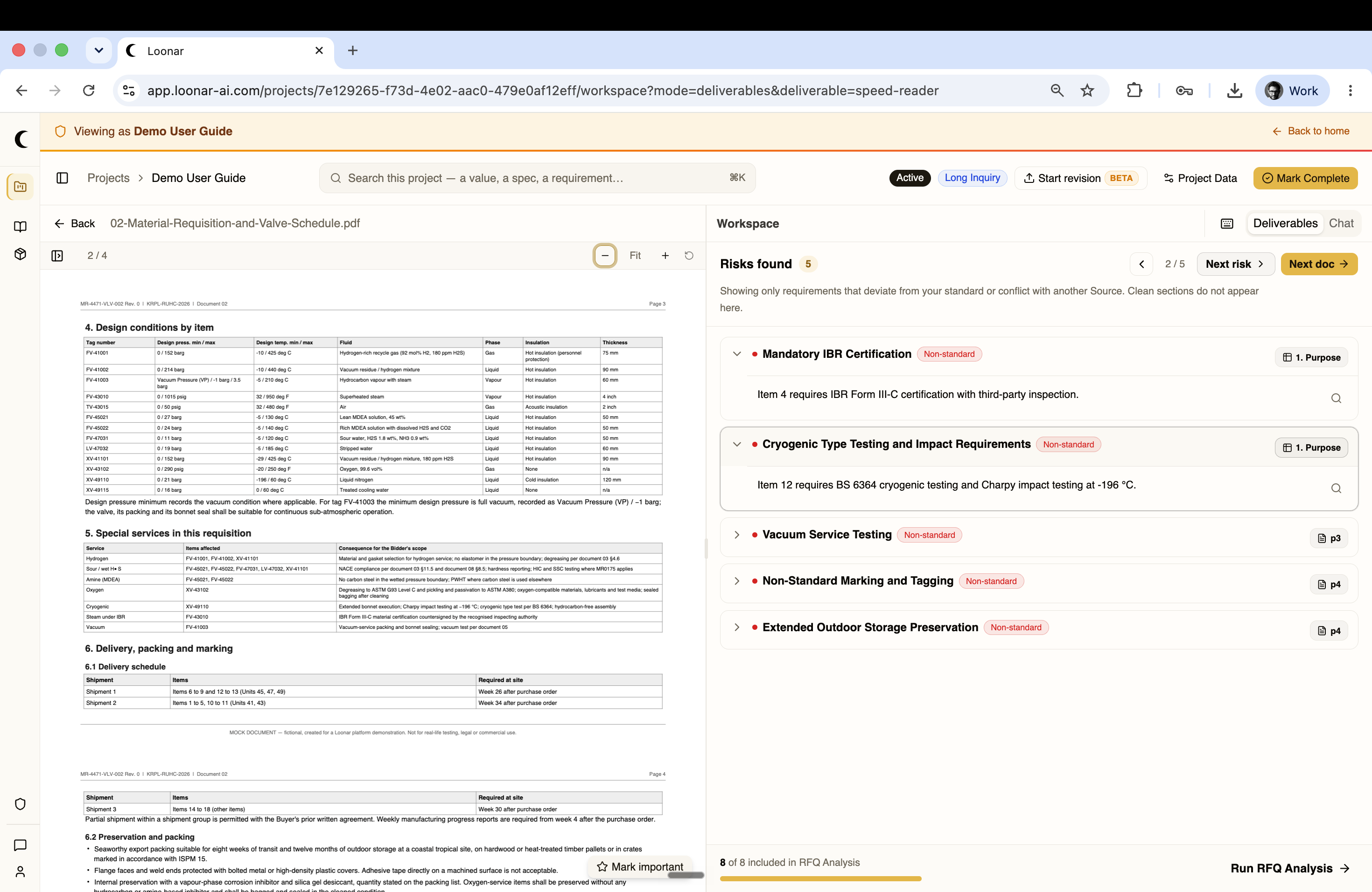
A fast first pass over a new RFQ — surfaces only the requirements that deviate from your standard or conflict with another source, so you can spot risk before committing to a full analysis.
Risks found
Loonar reads through the document and lists only the non-standard requirements it finds — clean sections that match your standard don't appear at all. Each risk is tagged Non-standard and linked back to the exact page and section of the source document. Step through them with Next risk, or jump to the next document with Next doc.