RFQ Analysis
Loonar's core deliverable. Once your documents are processed, RFQ Analysis reads the entire enquiry and organizes the results into tabs — each covering a different angle on the bid. Results appear in the Deliverables tab of the Workspace.
Running the analysis
- Once your documents have been processed, make sure you are on the Deliverables tab.
- Find RFQ Analysis in the Analyses list and run it — either on its own, or as part of running everything together.
- Wait until the analysis is complete — the time depends on the length and complexity of your documents. Do not close the page while it is running.
- Once finished, each tab populates with results. Click through any extracted item to see the source page in the original document where that information was found.
Tabs
Each tab covers a different part of the RFQ.
Missing Docs
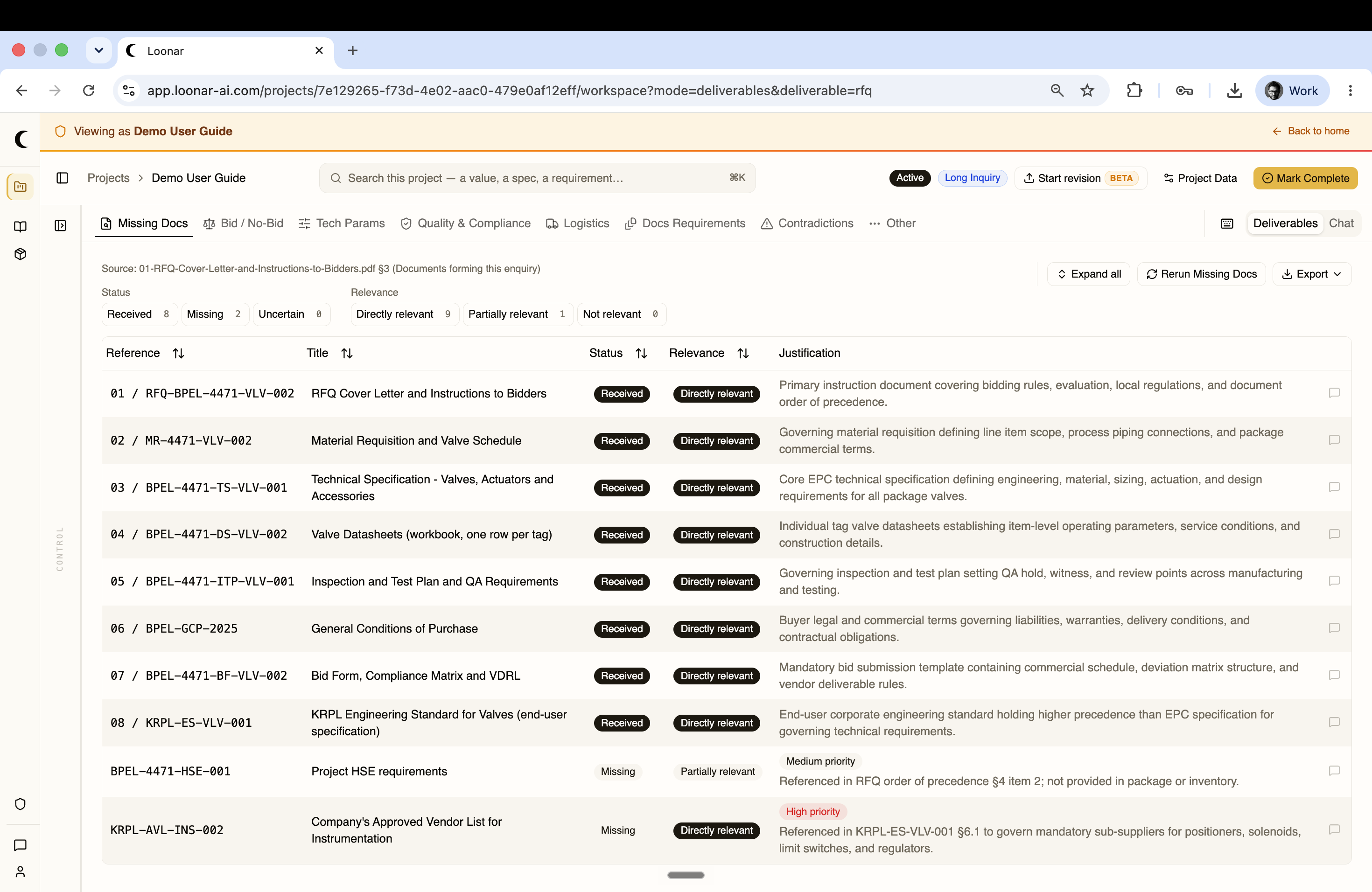
Scans the RFQ index and the documents forming the enquiry to identify every document referenced by the buyer. For each one, Loonar checks whether it was received, missing, or uncertain, rates its relevance (directly relevant, partially relevant, not relevant), and gives a justification.
Bid / No-Bid
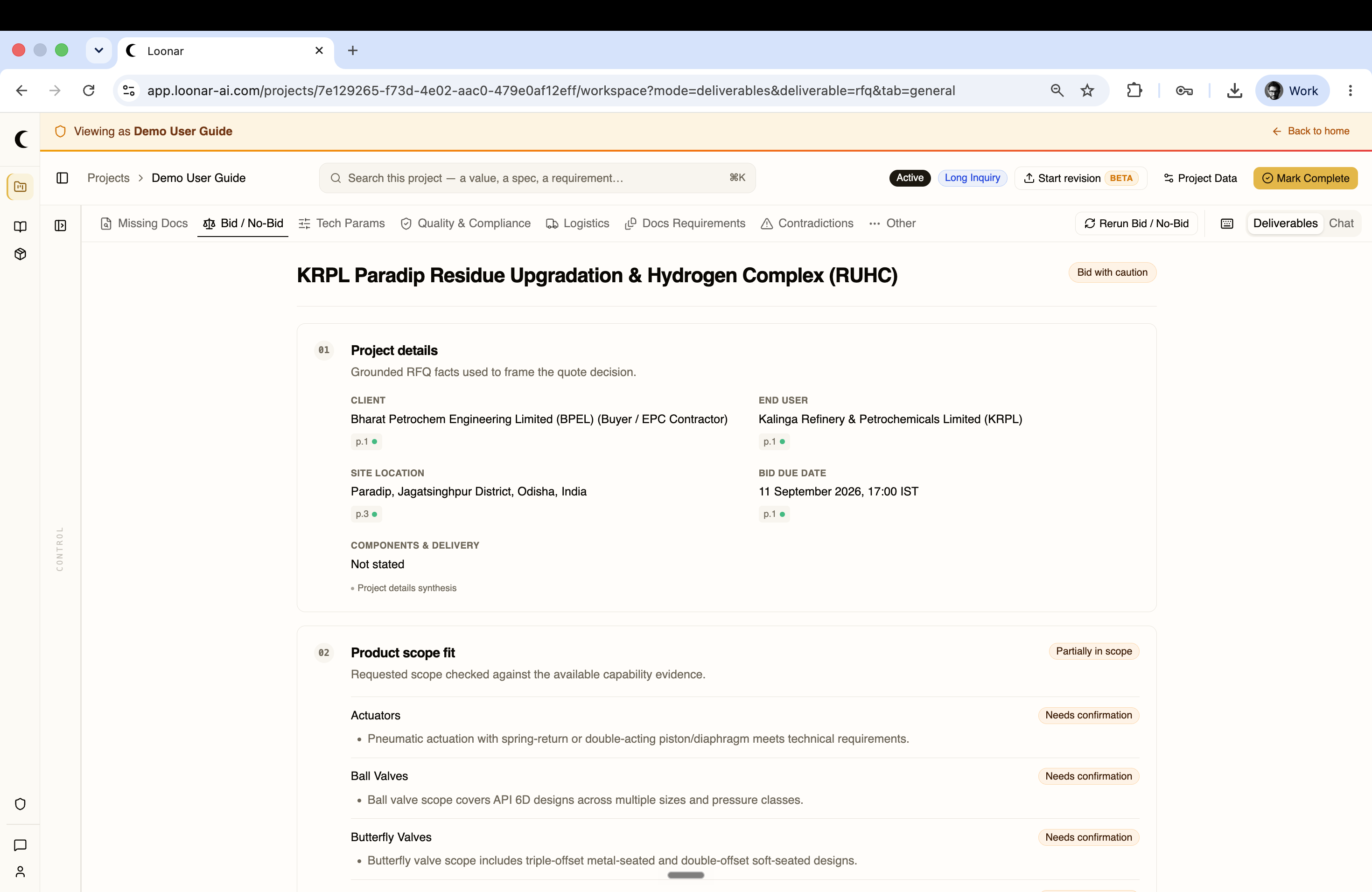
Synthesizes the project at a glance: client, end user, site location, bid due date, and how well the requested scope fits your product range — each scope item flagged as in scope, partially in scope, or needing confirmation. Gives an overall bid recommendation such as "Bid with caution."
Tech Params
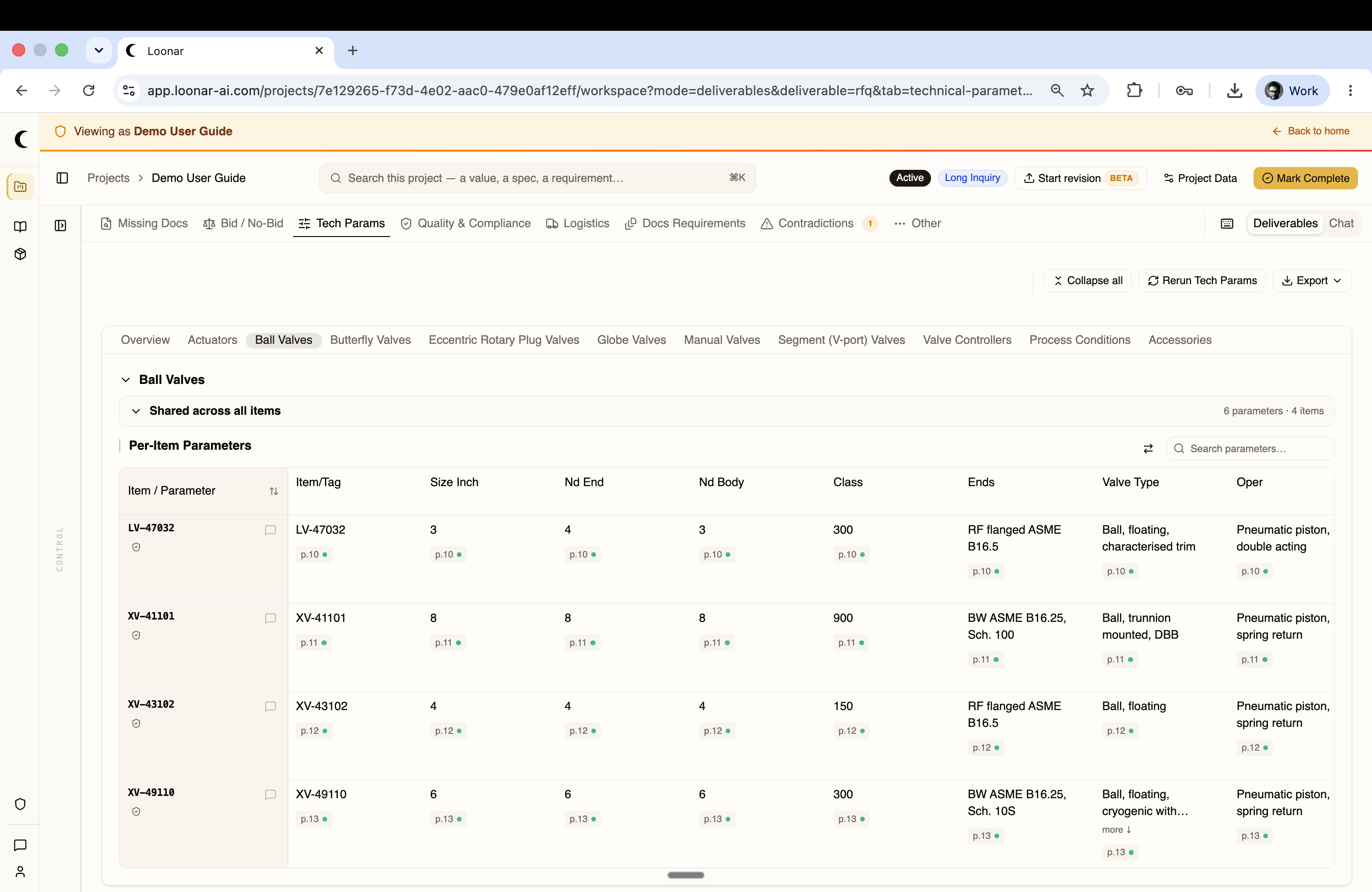
Extracts the specific technical parameters for every line item in the RFQ, grouped by product type (Actuators, Ball Valves, Butterfly Valves, and so on). Each group shows parameters shared across all items plus a per-item table with the exact data points needed to size, configure, and price each one — every value linked back to its source page.
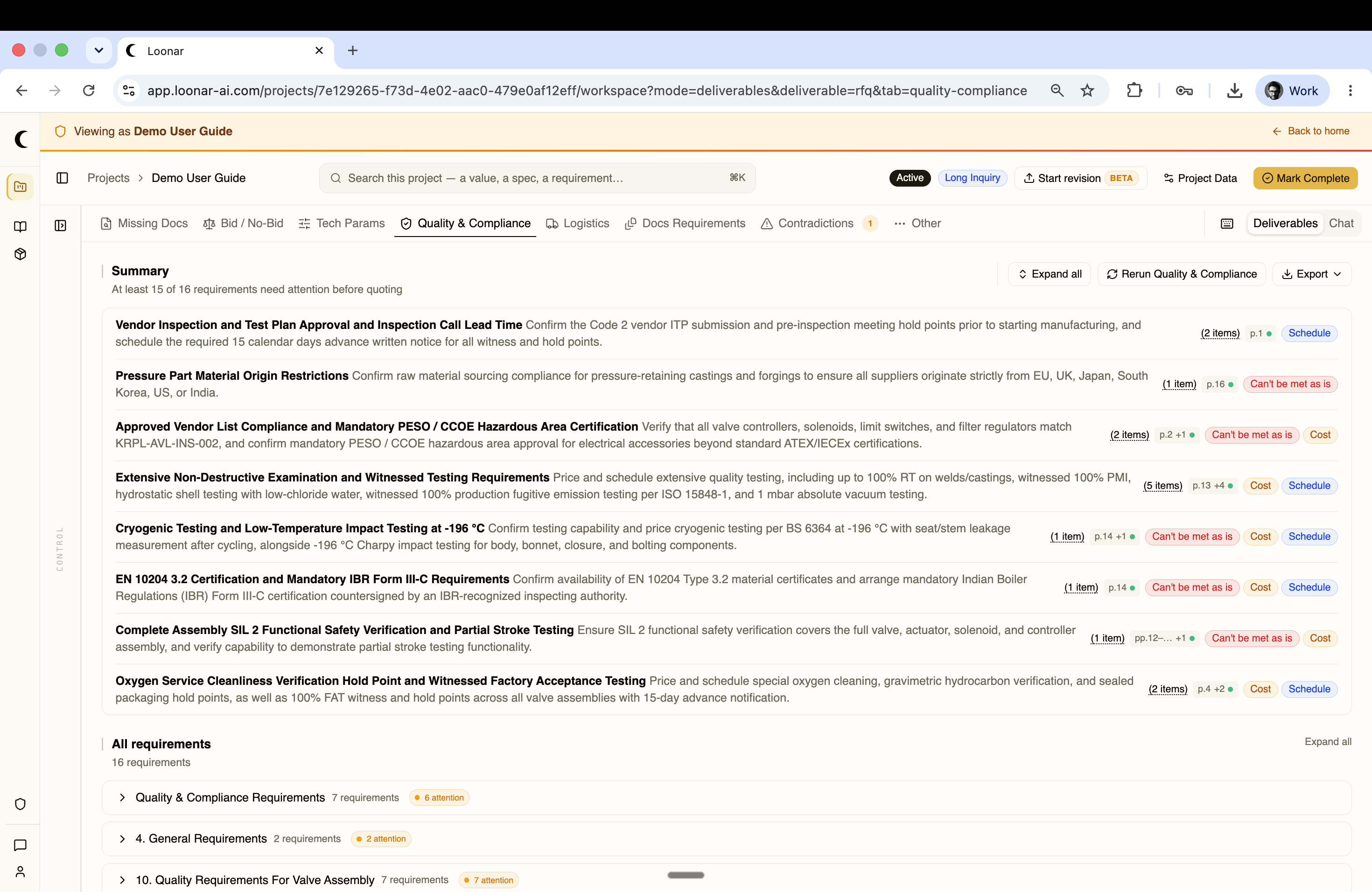
Quality & Compliance
Extracts every inspection, testing, and regulatory requirement in the RFQ — ITP structure, hold and witness points, NDE requirements, material certifications, FAT conditions, and applicable standards — and summarizes which ones need attention before quoting, each tagged Cost and/or Schedule impact and whether it can be met as-is.
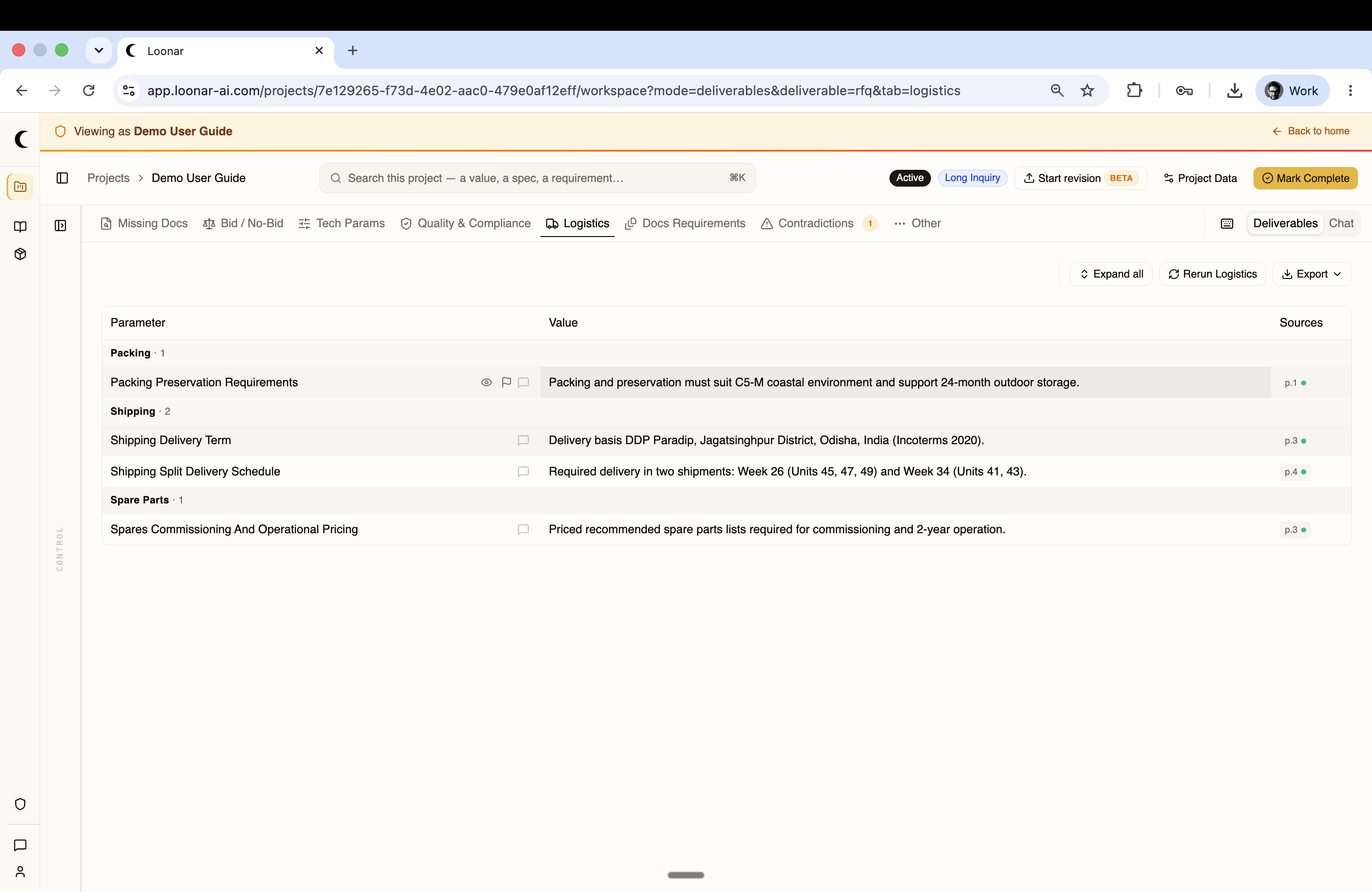
Logistics
Extracts every logistics and commissioning requirement in the RFQ — packing and preservation, shipping and delivery terms, split delivery schedules, and spare parts requirements — grouped by category with the source page for each.
Docs Requirements
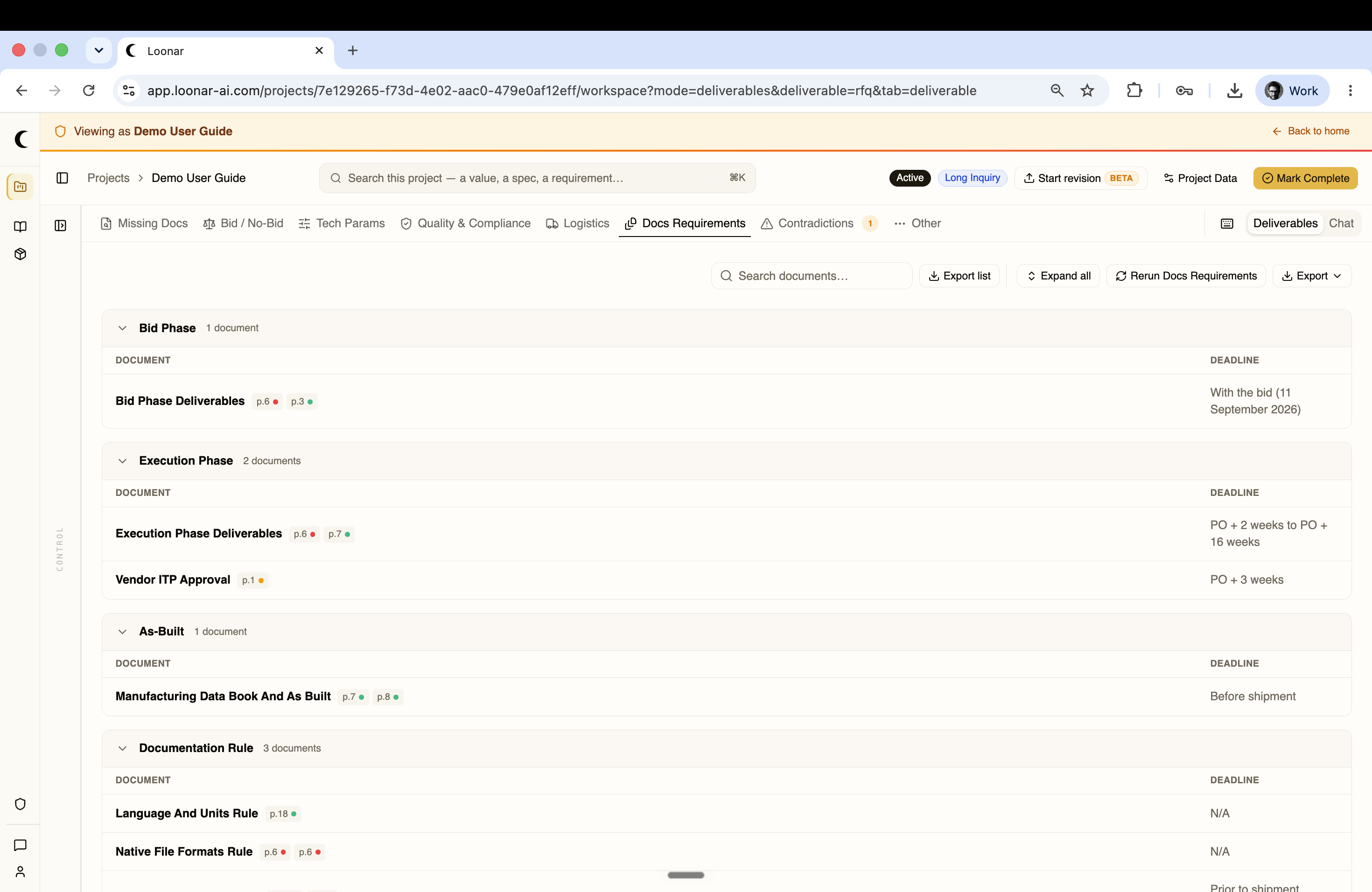
Identifies every document you must produce, submit, or maintain across the project's phases — Bid Phase, Execution Phase, As-Built, and general Documentation Rules — each with its deadline (with the bid, a number of weeks after the purchase order, before shipment, and so on).